Low-resolution images can ruin even the most powerful visual stories. That’s why AI image upscalers have become essential tools for creators, marketers, and photographers in 2026. These tools promise sharper details, cleaner textures, and improved image quality without manual editing. But do they really deliver, or is it just hype? In this article, we compare leading upscaling tools to reveal surprising differences in photo enhancement results. You’ll discover how modern AI tools rebuild lost details, improve image resolution, and transform blurry visuals into professional-looking assets. If you work with digital images, this comparison will help you choose the right AI upscaler with confidence.
We’ve all been there: a fantastic photo trapped in a low resolution. But what if you could breathe new life into those images, making them crisp and clear? AI upscalers promise exactly that – and some deliver far better than others. In this article, we’ll dive deep into the world of AI image upscalers, comparing the top contenders head-to-head. The results might just shock you as you see how these tools perform in 2026!
What are AI Upscalers and Why Should You Care?
AI upscalers are software tools that use artificial intelligence to increase the resolution of an image. Unlike traditional methods that simply stretch pixels (resulting in blurriness), AI upscalers analyze the image and intelligently fill in the missing details.
The Benefits of Using AI Upscaling
– Enhanced Image Quality: Say goodbye to pixelated images. AI upscalers significantly improve clarity and detail.
– Recovering Old Photos: Breathe new life into cherished memories trapped in low resolution.
– Improving Visual Content: Perfect for bloggers, marketers, and anyone needing high-quality visuals.
– Saving Time and Money: Avoid expensive photoshoots by upscaling existing images.
The Contenders: Top AI Image Upscalers of 2026
We’ve put several popular AI image upscalers to the test. Here’s a detailed comparison of their performance, features, and overall value.
– VanceAI Image Upscaler: Known for its ease of use and batch processing capabilities.
– Topaz Photo AI: Renowned for its advanced algorithms and noise reduction features.
– Let’s Enhance: A cloud-based solution praised for its speed and accessibility.
– Icons8 Upscaler: Free and simple, ideal for quick and basic upscaling needs.
The Testing Process: How We Evaluated the AI Upscalers
To ensure a fair comparison, we used a variety of images with different characteristics:
– Landscapes with intricate details
– Portraits with subtle skin textures
– Low-resolution vintage photos
– Product images for e-commerce
Each image was upscaled using the default settings of each AI upscaler. We then carefully examined the results, paying close attention to:
– Sharpness and clarity
– Detail preservation
– Artifacts and distortions
– Overall visual appeal
The Shocking Results: Head-to-Head Comparison
Here’s where things get interesting. We’ll break down the performance of each AI upscaler, highlighting their strengths and weaknesses.
VanceAI Image Upscaler: The Versatile Option
VanceAI stands out for its user-friendly interface and ability to handle various image types. It performed admirably on landscapes, preserving fine details in foliage and textures. However, it sometimes struggled with portraits, occasionally producing overly smooth skin.
Topaz Photo AI: The Detail Master
Topaz Photo AI consistently delivered the most impressive results, particularly with portraits. Its advanced algorithms expertly enhanced facial features while maintaining natural skin textures. It also excelled at noise reduction, making it ideal for upscaling old or grainy photos. One potential downside is that Topaz Photo AI can be resource-intensive, requiring a powerful computer for optimal performance.
Let’s Enhance: The Speedy Cloud Solution
Let’s Enhance offers a convenient cloud-based solution for AI upscaling. It’s incredibly fast and accessible from any device. While it generally produced good results, it sometimes fell short in detail preservation compared to Topaz Photo AI. This tool could be a great choice if you need quick upscaling on the go.
Icons8 Upscaler: The Free and Easy Choice
Icons8 Upscaler is a fantastic option for users who need a simple, free AI upscaler. While it lacks the advanced features of its competitors, it provides surprisingly good results for basic upscaling tasks. It’s perfect for quickly enhancing images for social media or small online projects.
Real-World Examples: Seeing is Believing
Let’s take a look at some specific examples to illustrate the differences between these AI upscalers.
– Landscape: An image of a mountain range showed that Topaz Photo AI and VanceAI were able to retain the most detail in the rocks and vegetation. Let’s Enhance smoothed out some finer details, while Icons8 Upscaler showed some pixelation.
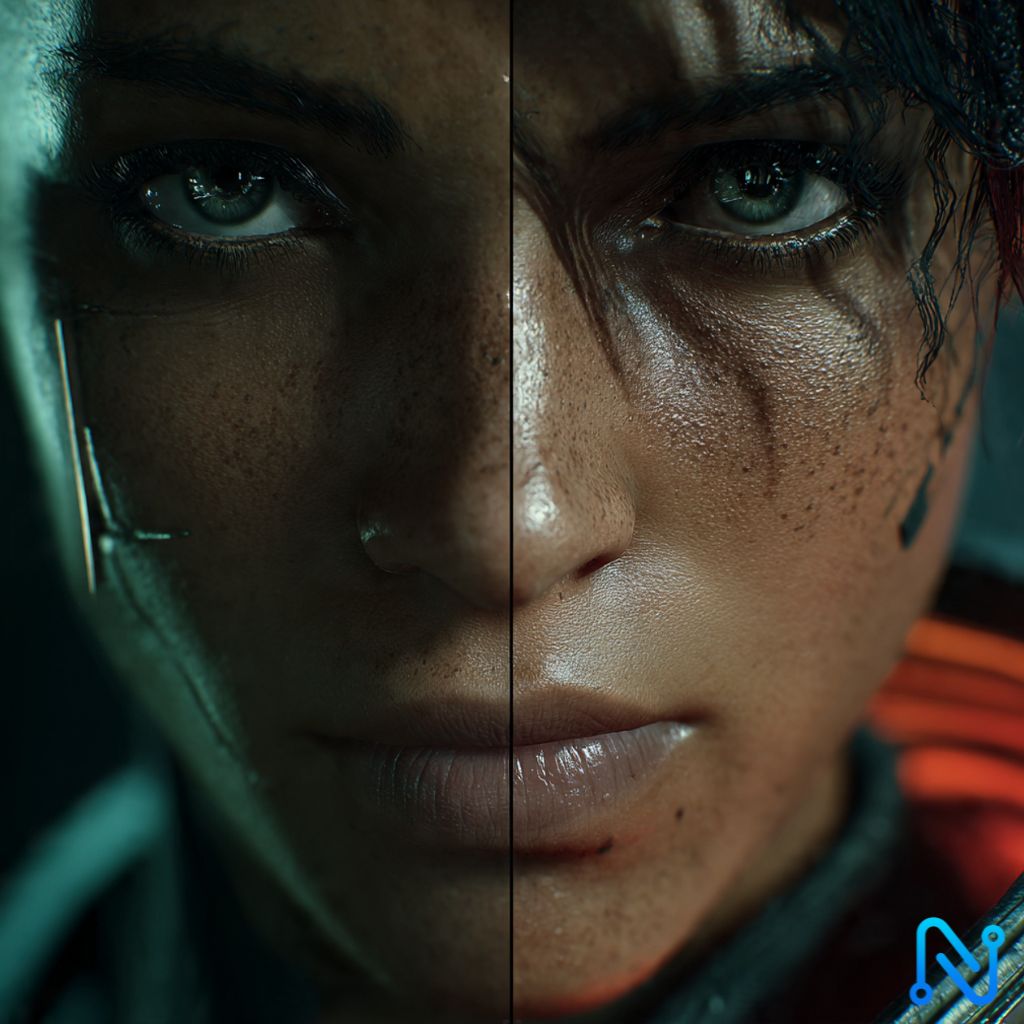
– Portrait: When upscaling a portrait, Topaz Photo AI excelled at preserving skin texture and fine lines, while VanceAI produced a slightly artificial smoothness. Let’s Enhance did a decent job, and Icons8 Upscaler again showed some loss of detail.
– Old Photo: An old, low-resolution photo benefited greatly from Topaz Photo AI’s noise reduction capabilities, which removed grain and enhanced clarity. VanceAI also did well, while Let’s Enhance and Icons8 Upscaler showed less improvement.
– Product Image: For a product image, sharpness and detail are crucial. Topaz Photo AI and VanceAI both delivered excellent results, making the product look crisp and appealing. Let’s Enhance was slightly less sharp, and Icons8 Upscaler showed some pixelation.
Choosing the Right AI Upscaler for Your Needs
The best AI upscaler for you depends on your specific needs and priorities.
– For Overall Best Quality: Topaz Photo AI is the clear winner, offering unparalleled detail preservation and noise reduction.
– For Versatility and Ease of Use: VanceAI is an excellent choice for its user-friendly interface and ability to handle various image types.
– For Speed and Accessibility: Let’s Enhance is perfect for users who need quick upscaling on the go.
– For a Free and Simple Solution: Icons8 Upscaler is a great option for basic upscaling needs.
Consider what is important to you when deciding which AI image upscaler to use. Each one brings a different set of features to the table.
Future Trends in AI Upscaling
The field of AI upscaling is constantly evolving, with new advancements emerging all the time. Here are some trends to watch out for in the coming years:
– Increased Automation: AI upscalers will become even more automated, requiring less manual input from users.
– Improved Realism: Algorithms will continue to improve, producing even more realistic and natural-looking results.
– Integration with Other Tools: AI upscaling will be seamlessly integrated into photo editing software, online platforms, and other applications.
– Mobile Applications: More powerful AI upscaling apps will become available for smartphones and tablets, allowing you to enhance images on the go.
The advancements made in AI upscalers show no signs of stopping, which will allow for even more amazing images in the years to come.
We’ve explored the fascinating world of AI upscalers, comparing the top tools and revealing some shocking results. Whether you’re a professional photographer, a casual user, or someone looking to revive old memories, the right AI upscaler can transform your images and unlock their full potential. Ready to experience the magic of AI-powered image enhancement? Explore these tools and discover which one best suits your needs.
For more insights or collaboration opportunities, visit www.natiqtech.com.

I am a TOP RATED FREELANCER, digital creator, and tech enthusiast with over a decade of experience in online services like photo and video editing, graphic design, AI-driven content creation, SEO content writing, and digital media production.